Posts

Showing posts with the label Steam Deck

Steam Deck: Getting Started

So, now you've got your own Steam Deck. What is there to know before diving in? The Steam Deck is ultimately a tinkerer's paradise, so I don't want to pretend like there are some definitive steps or applications to utilize. Explore at your own pace, and mess with stuff as you see fit. I've collected a few thoughts below that might be helpful as you go about toying with your new toy. I can't wait to see how quickly this becomes outdated! Contents: What is Desktop Mode vs. Gaming Mode? How does Proton work? What is shader pre-caching? What is Flatpak? Can I use Windows on my Steam Deck? Can I really play games off of the SD card? How can I play non-Steam games on my Steam Deck? How can I emulate games on my Steam Deck? Can I play online multiplayer games on my Steam Deck? Can I mod games on my Steam Deck? Can I dock my Steam Deck, like a Nintendo Switch? What is Desktop Mode vs. Gaming Mode? By default, your Steam Deck boots into Gaming Mode. This is where the Steam D...

Steam Deck: The Software

Image
Alright, it's finally time to quit screwing around and see what the Steam Deck can actually do. And by that I mean, here's an incredibly dry run-down of how Steam works on the Steam Deck, for people like me that salivate over UI screenshots. When you boot up the Steam Deck, this is the first screen you see- Your most recently played Steam games, across all your devices. Scrolling down shows news, what your friends are playing, what games have been updated recently, and what Steam thinks you should play from your library. At the top is a universal search function, plus easy access to Wi-Fi, battery, and account settings. The universal search function is accessible via most screens and lets you search across all your games, friends, tools, and the store itself. The Steam library looks and functions exactly like Steam's desktop app, whose user interface (UI) was originally overhauled towards the end of 2019. Tags and collections set up on your desktop are also available on th...

Steam Deck: The Hardware

Image
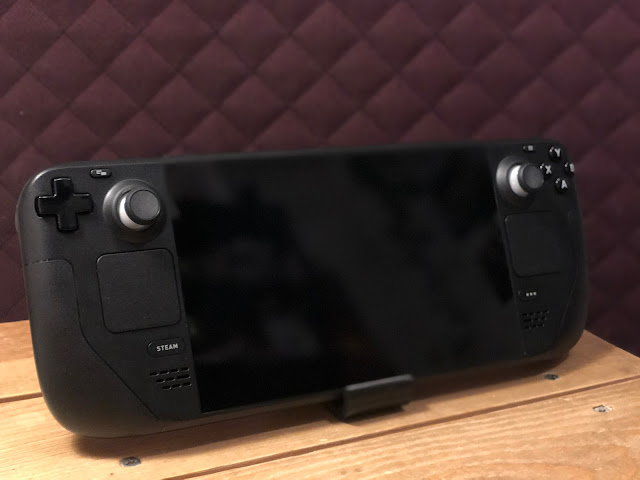
Alright, with the history lesson out of the way , let's actually take a look at this thing. What exactly is the Steam Deck?     On the outside, we've got a directional pad, ABXY face buttons, a Start/Menu button and a Select/Back/View(?) button, a pair of joysticks, a pair of shoulder buttons, and a pair of analog triggers- Typical of most console controllers. Underneath each thumbstick is a square trackpad- Just like the Steam Controller, these are usually employed to move a mouse cursor around the screen of a PC game that doesn't support console controllers, but they can be customized for any kind of purpose. The reverse side also sports four back paddles- the Steam Controller had two, but they ended up infringing on a patent that resulted in a $4m fine and the controller itself being taken off the market . These four non-infringing paddles can be mapped to any kind of input you'd expect to find on a computer.   Closeup of the Steam Deck's ABXY buttons, menu b...

Steam Deck: A History

Image
  My very own personal Steam Deck! Last week, I got my Steam Deck. I've been waiting for this lil guy, somewhat impatiently, for nearly a year- And I'm excited to toy with it and use it as an excuse to write more! So what's the big deal? The Steam Deck is designed and manufactured by Valve Corporation, responsible for Half-Life, Team Fortress, Portal, Counter-Strike, Dota 2, Left 4 Dead, and Steam- a platform for selling and playing PC games. While their foundation is clearly built on software, they've been slowly wading into the hardware space over the last decade.  Steam's Big Picture interface This push started in 2012 when Valve announced it was working on a Steam-powered (ha) video game console: something you could plug into your TV and use to play Steam games, but with the extensibility of a computer. You could modify games to play however you'd like, or even use the PC for something entirely unrelated to gaming. The core of this idea was sparked by the la...